
Accelerate your continuous improvement results
Download my free guide and start seeing better results today
Download my free guide and start seeing better results today
The CI (Continuous Improvement) options generator is a simple and fast way to brainstorm improvement opportunities with your team.
In short, you choose an area of your business and an improvement focus and let your imagination run wild!
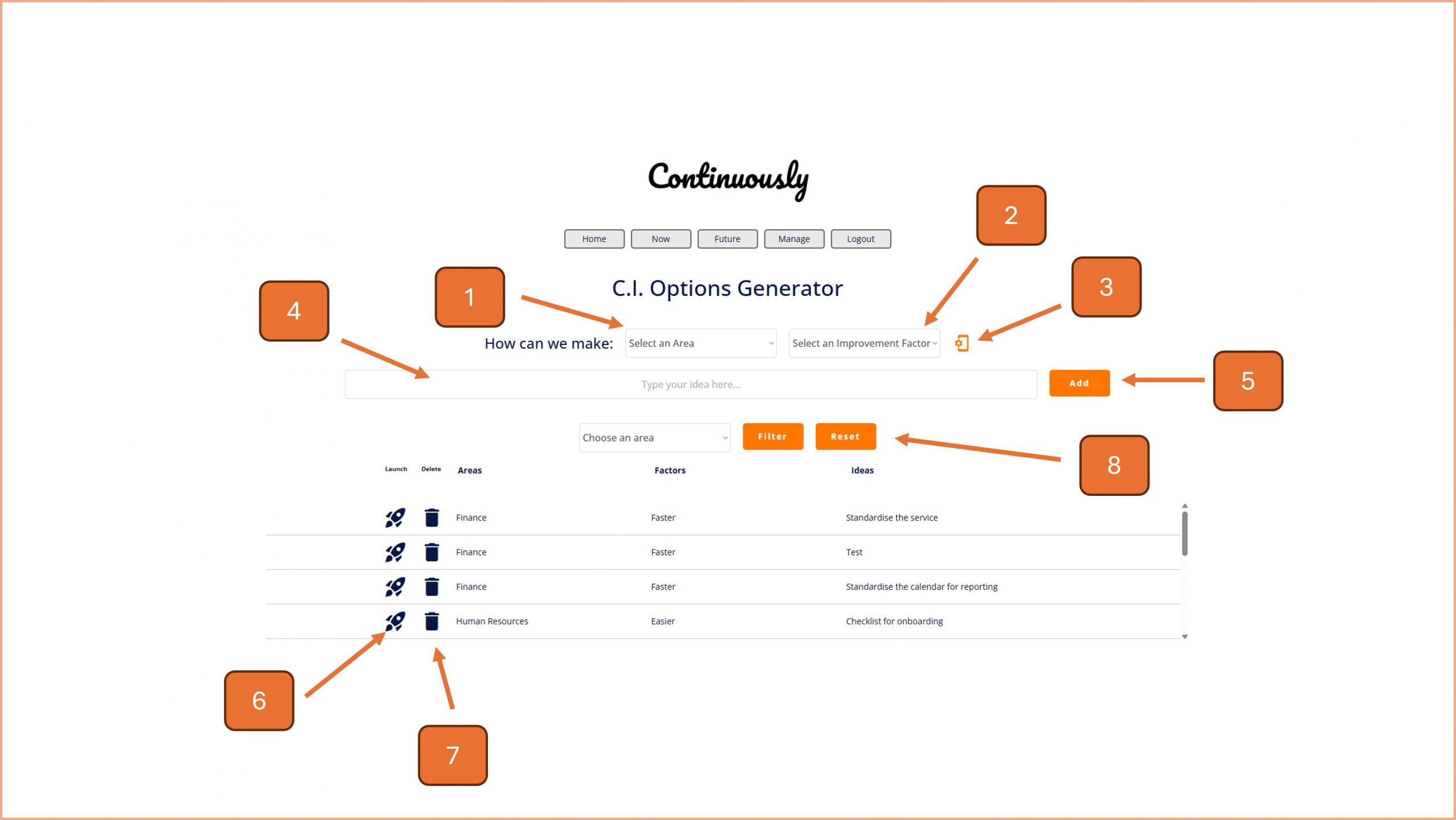
1. Select a focus area for your brainstorm.
2. Select an improvement factor, to further focus your brainstorm.
3. If you need to set up this page, to add new areas of your organisation, or improvement factors, click on this button and go to step 9.
4. Input your brainstormed idea into this input box.
5. Press the Add button when you are ready to submit the idea.
6. To launch an idea, as a task, click on the rocket icon and follow the on screen prompt.
7. To delete an idea, click on the bin icon and follow the on screen prompt.
8. To filter the list, choose an improvement focus from the drop down box and click on the Filter button. Click on the Reset button to view all ideas again.
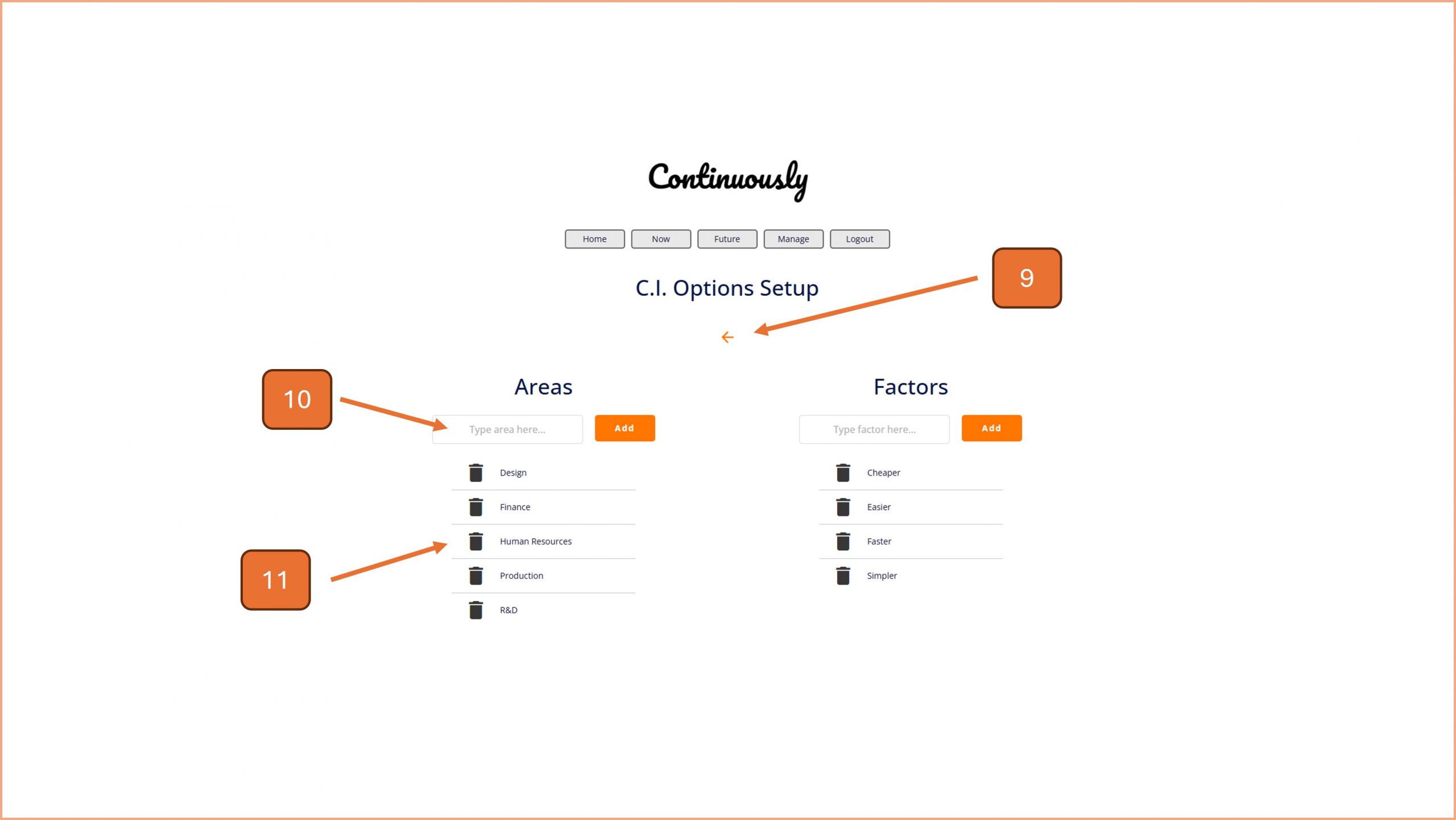
9. When you have finished on the setup screen, use the back arrow to return to the main CI Options page.
10. Type in the name of the focus area you want to add, click on the Add button when ready.
11. If you need to delete an area, click on the bin icon and follow the on screen prompt.
Note - you can repeat steps 10 and 11 for the Factors side of the page.

© Smartspeed Consulting Limited. All Rights Reserved.