
Accelerate your continuous improvement results
Download my free guide and start seeing better results today
Download my free guide and start seeing better results today
The What Does Good Look Like page is designed for you to imagine how an area or process should work and behave if things were better than they are today.
This page has a series of questions for you to brainstorm / ponder, which you can then turn into actions.
The questions are fundamentally simple, but their answers may take some thinking and discussion to come up with something that can transform the performance of the area in question!
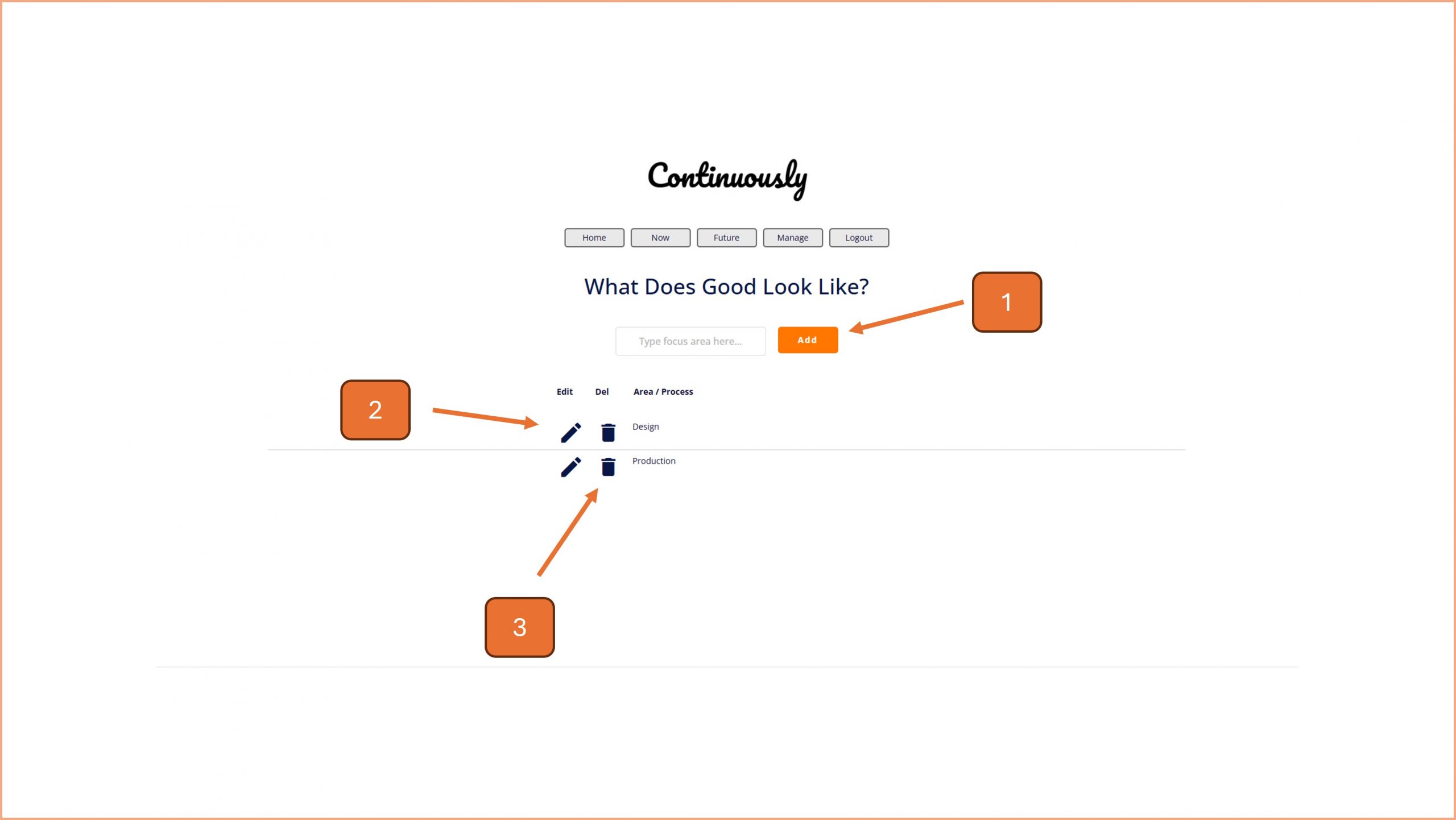
1. Add a new area to focus on by inputting its name and then clicking on the Add button.
2. To define a better future for an area, click on the Pencil icon and go to step 5.
3. To delete an area from this list, click on the bin icon and follow the on screen prompt.

4. To return to the list of areas, click on the back arrow.
5. All the text boxes next to the prompts save automatically when you type into them. Ponder the questions and define your answers in the text boxes.
6. If you want to take an answer and convert it into a task, click on the Rocket icon and follow the on screen prompts.

© Smartspeed Consulting Limited. All Rights Reserved.