
Accelerate your continuous improvement results
Download my free guide and start seeing better results today
Download my free guide and start seeing better results today
The users page allows you to add and tweak users in your account.
This page also allows you to manage your paid subscription.
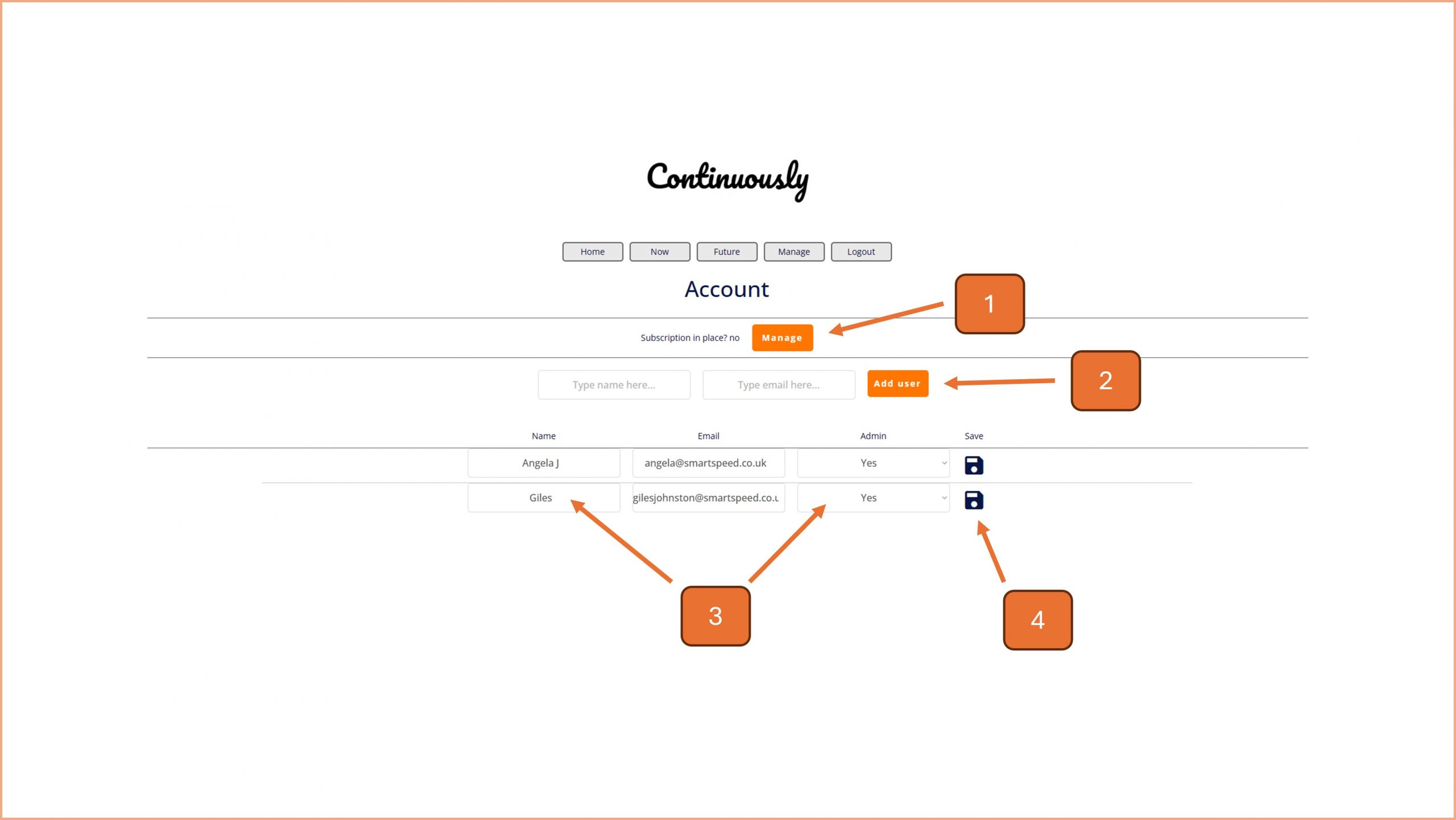
1. If you need to change your subscription, click on the manage button and see point 5.
2. To add a new user, enter their name and email address and click on the add user button. They will be sent an email and from there they can reset their password.
3. You can change a user's screen name and admin status on this part of the page.
4. Click on the save icon to save the changes you have made on the corresponding row.
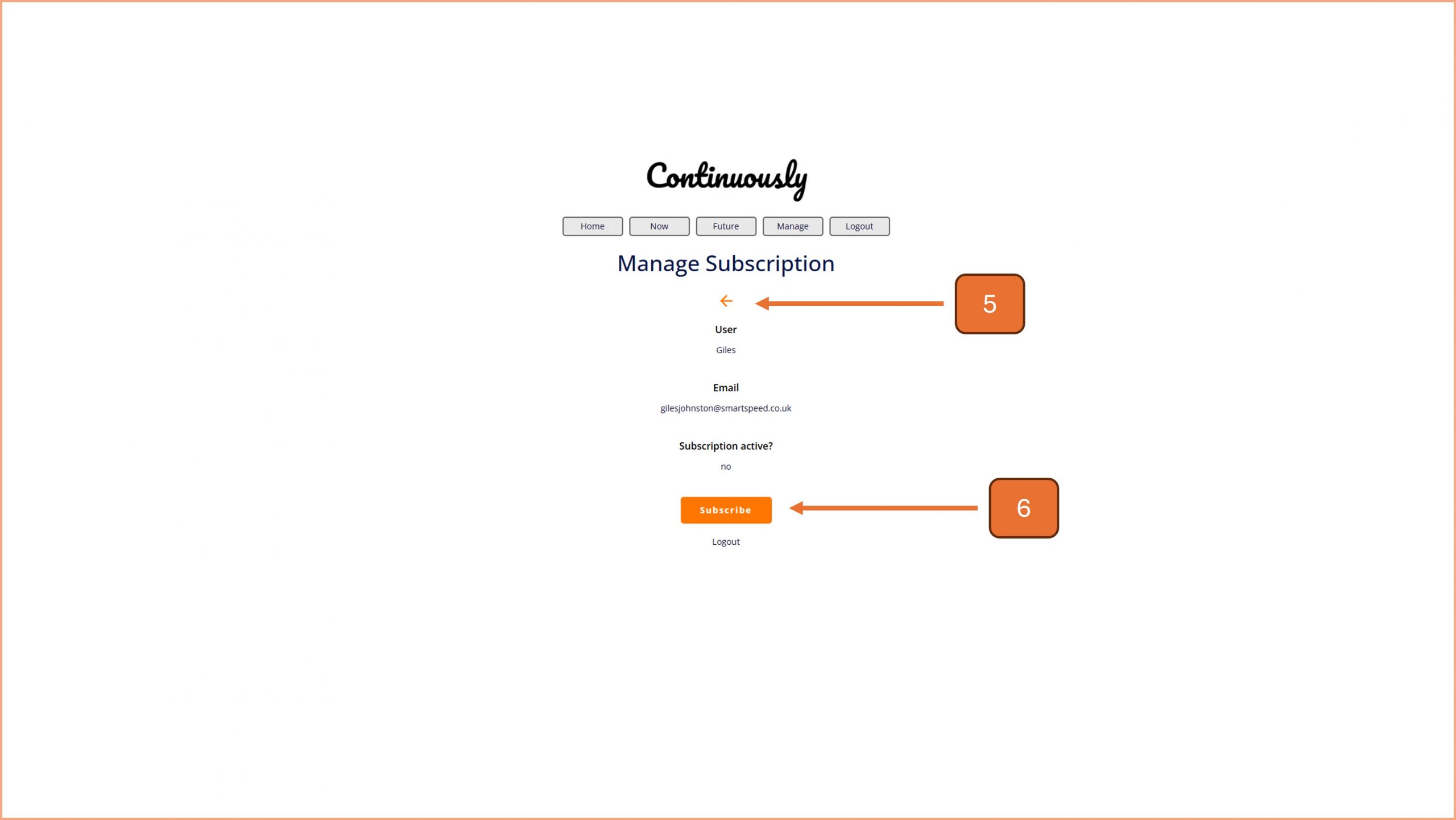
5. Use the back arrow to navigate back to the users page.
6. Use the subscribe button to start the subscription process. Note - this button changes to 'unsubscribe' when you have a live subscription.

© Smartspeed Consulting Limited. All Rights Reserved.