Accelerate your continuous improvement results

Download my free guide and start seeing better results today

Continuously Help Pages

Continuously is fundamentally a structured brainstorming tool, to help your team identify and manage improvement opportunities.

The pages below provide step by step guidance on how to use each of the main tools.

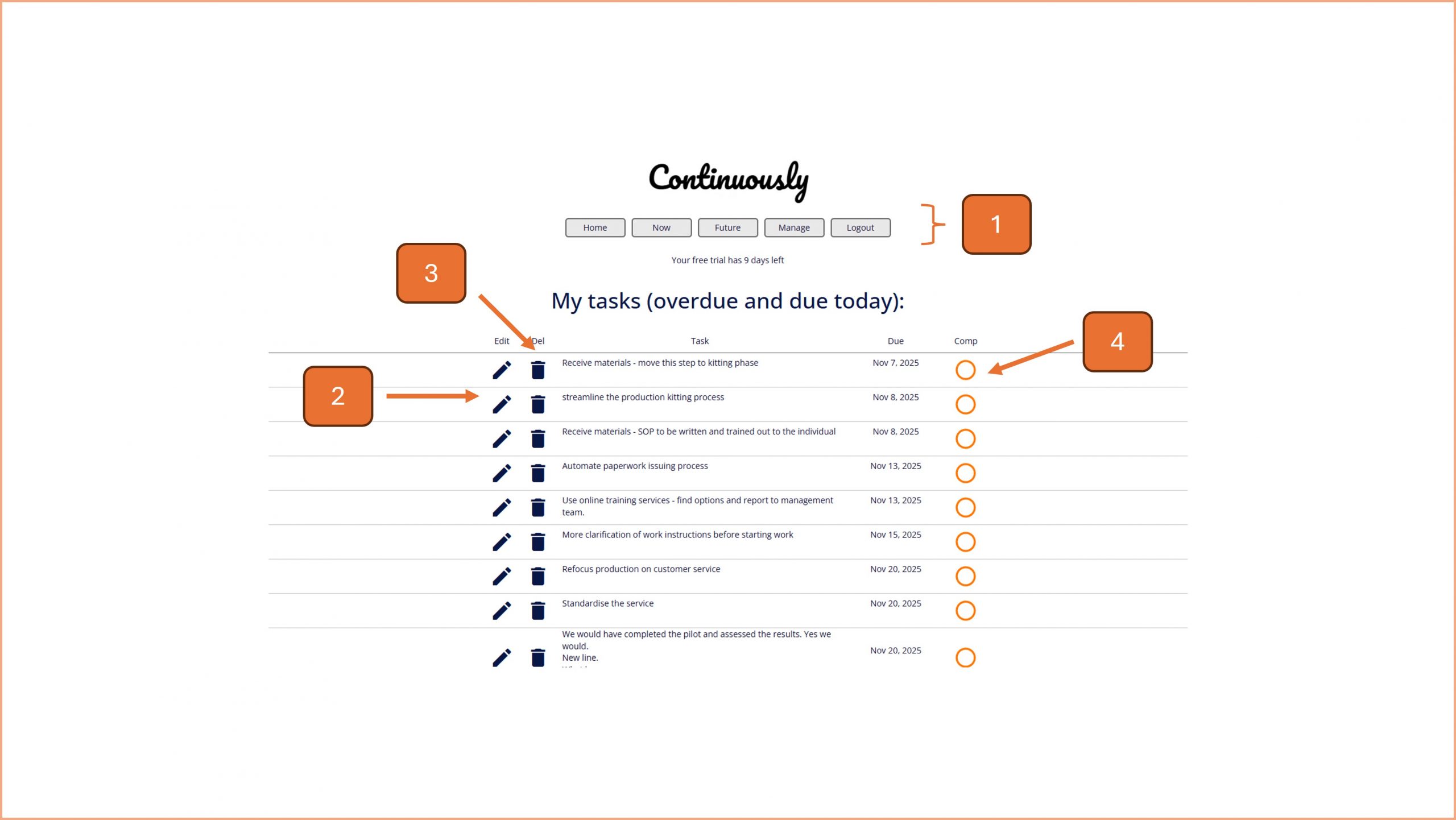
Continuously Help | Dashboard

Continuously Help | Dashboard

Navigate the home page of Continuously

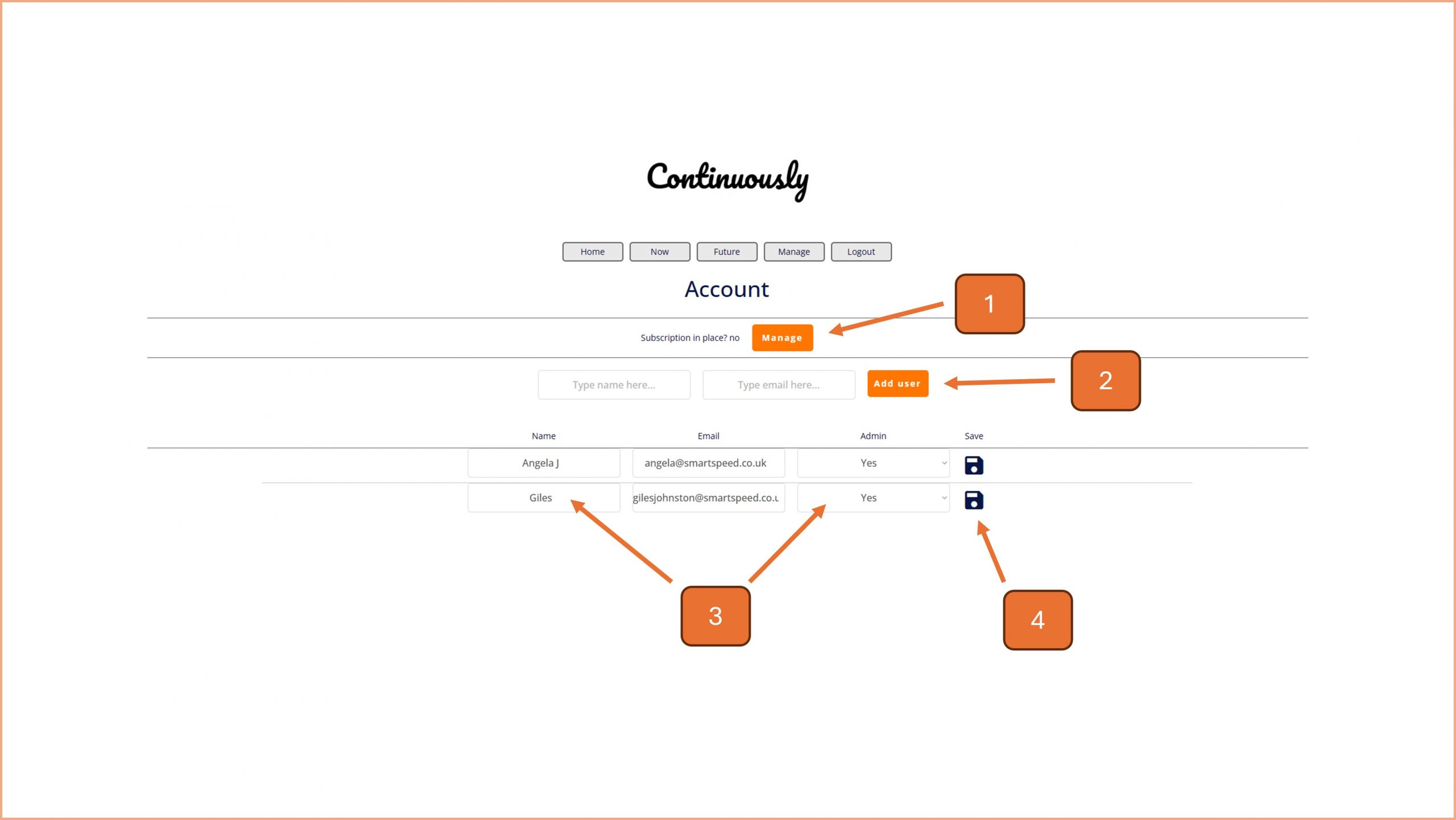
Continuously Help | Users

Continuously Help | Users

Navigate the user page of Continuously

Continuously Help | CCC

Continuously Help | CCC

Capture concerns about an area of your organisation and turn them into an action plan
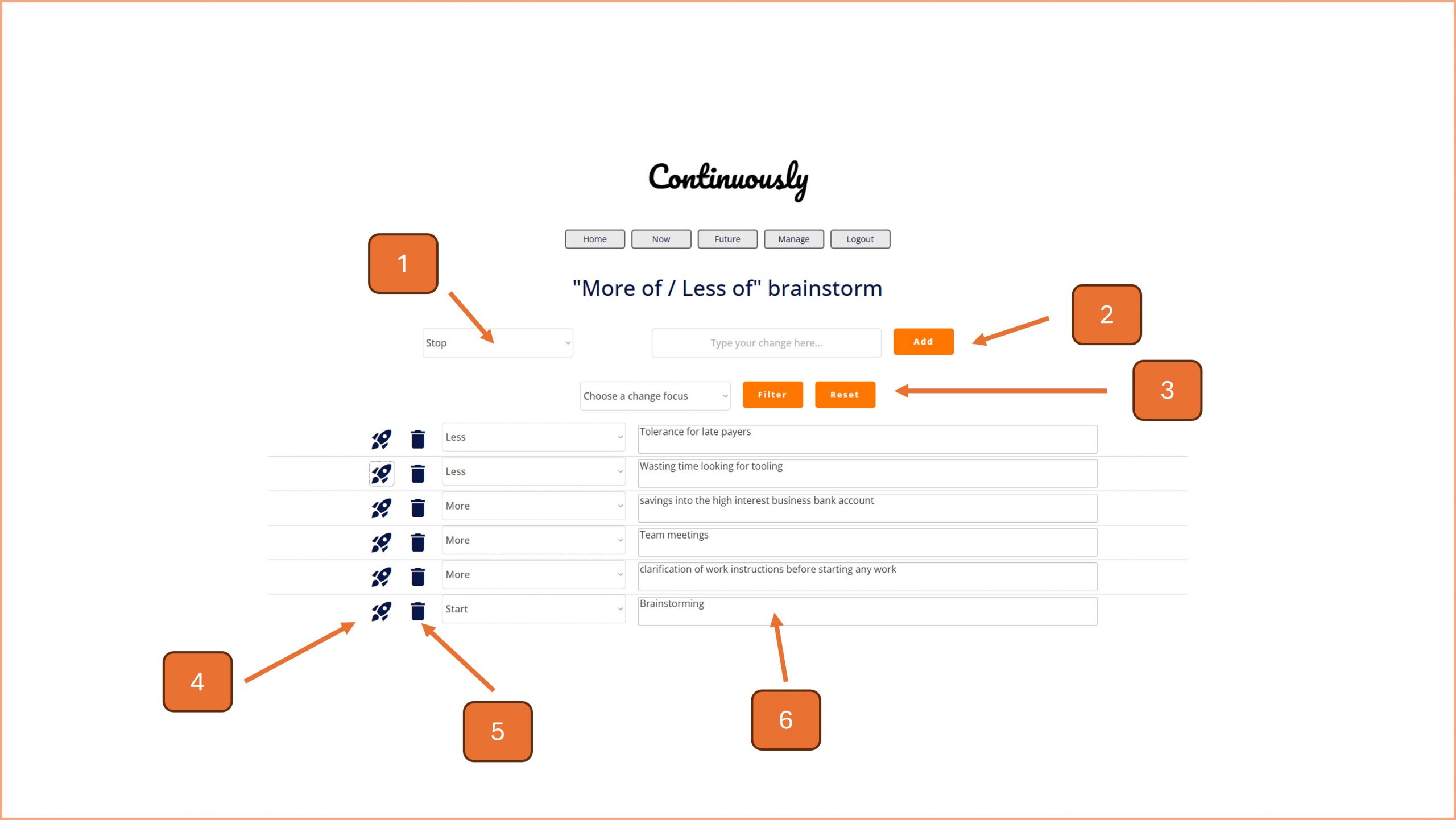
Continuously Help | More of / Less of

Continuously Help | More of / Less of

Use the tried and tested 'MoLo' brainstorming approach to quickly generate improvement ideas.
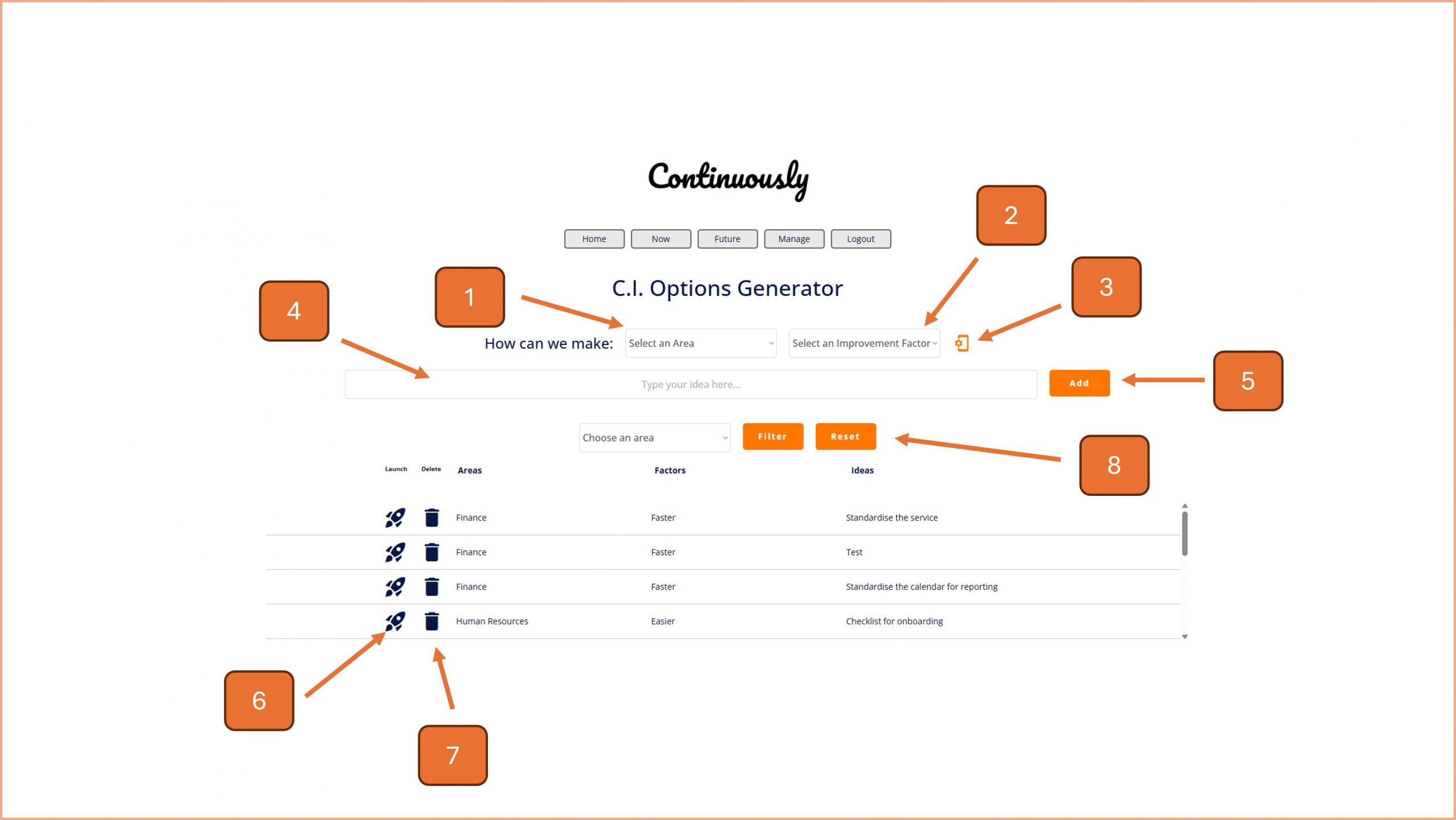
Continuously Help | CI Options Generator

Continuously Help | CI Options Generator

Focus your brainstorming with this simple approach and create an unlimited supply of continuous improvement opportunities.
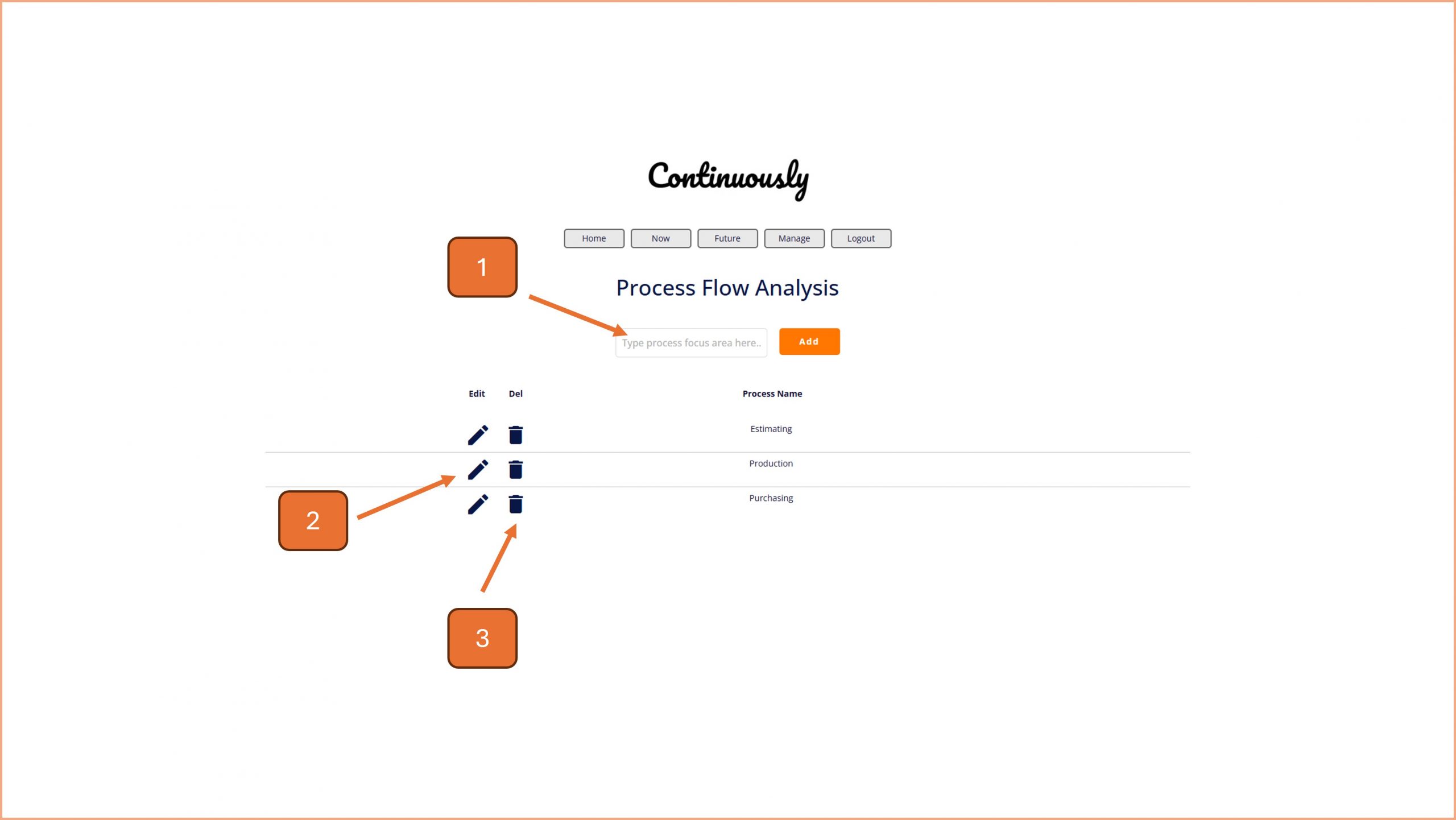
Continuously Help | Process Flow Analysis

Continuously Help | Process Flow Analysis

Breakdown your processes and find ways to streamline them using this tried and tested tool.

Continuously Help | Projects

Continuously Help | Projects

Breakdown your processes and find ways to streamline them using this tried and tested tool.

Continuously Help | Review

Continuously Help | Review

Use this page to conduct short task review meetings with your team.

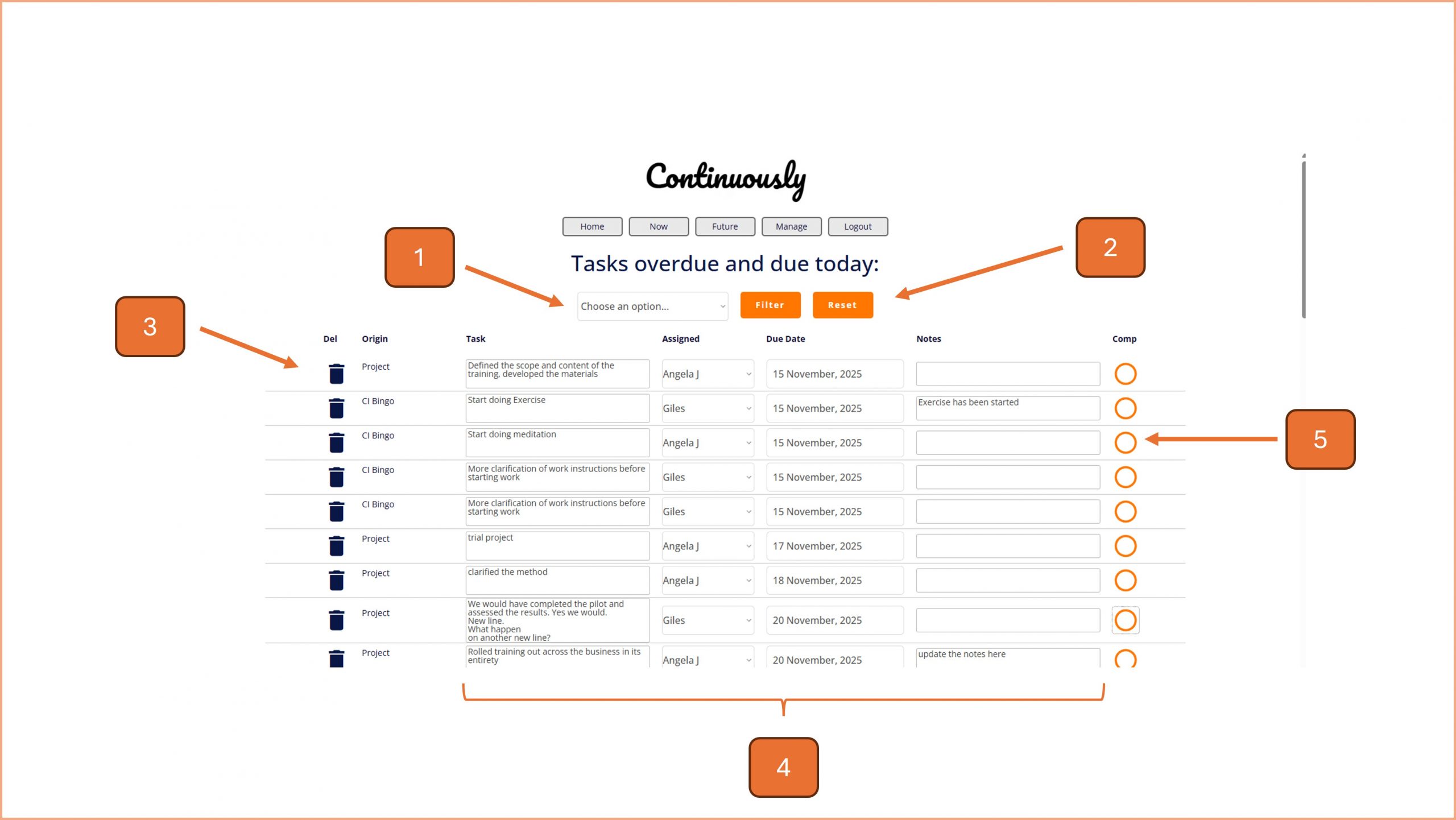
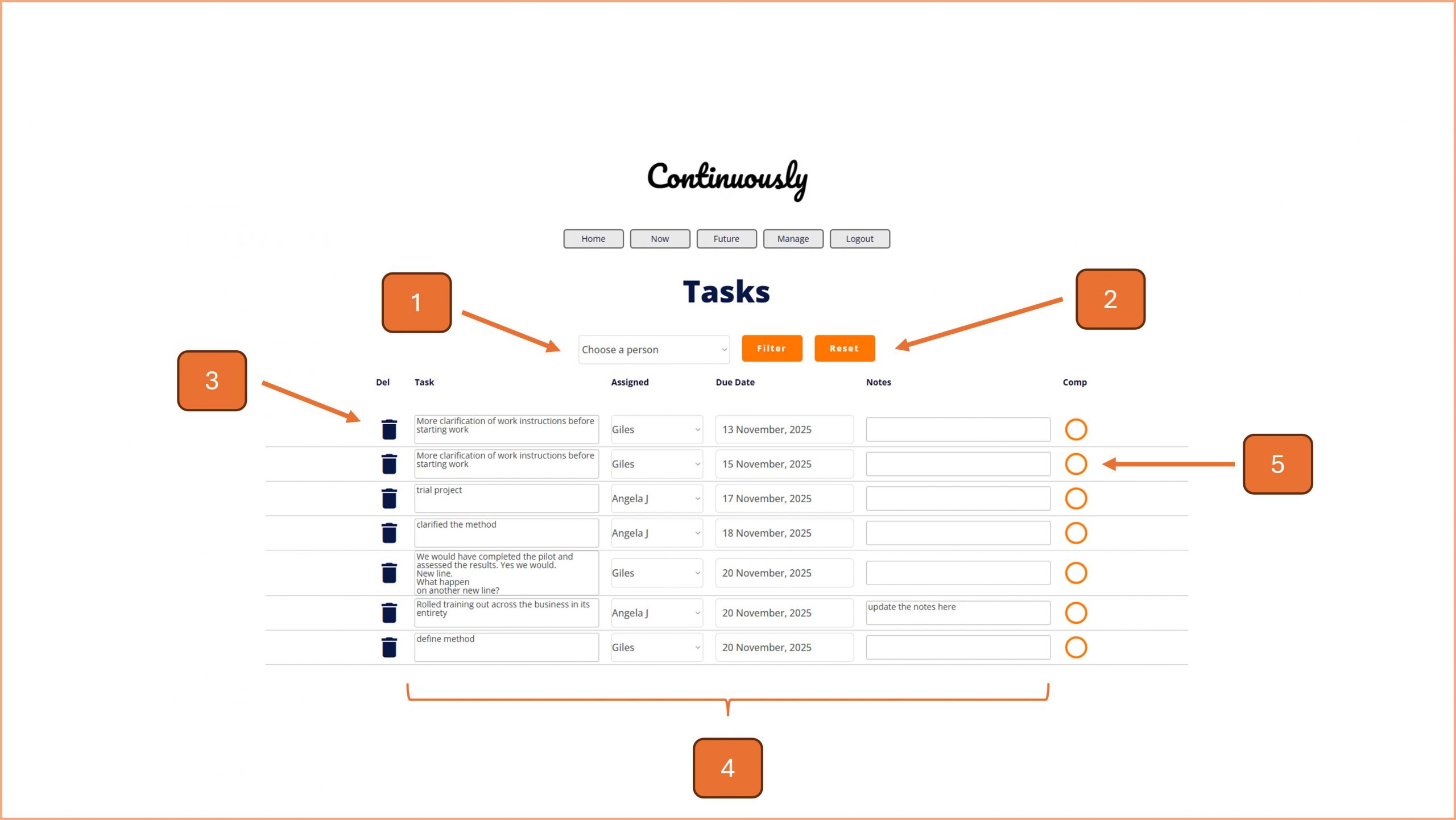
Continuously Help | Tasks

Continuously Help | Tasks

Use this page to manage all tasks live in Continuously.

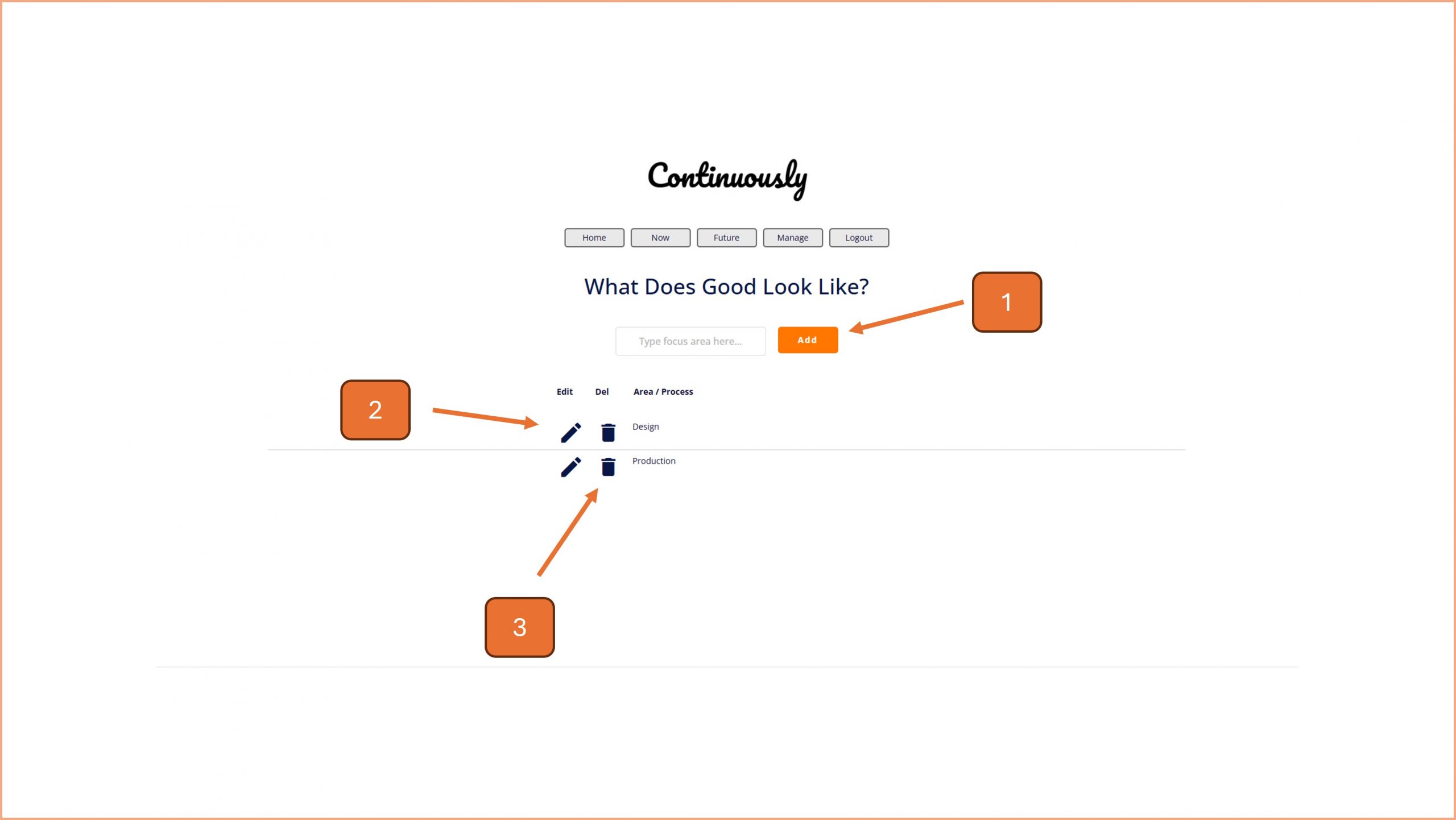
Continuously Help | What Does Good Look Like

Continuously Help | What Does Good Look Like

Describe a better future for you business teams, processes and functions with the What Does Good Look Like approach.

Continuously Help | Archive

Continuously Help | Archive

Review completed tasks and re-activate them if required.