
Accelerate your continuous improvement results
Download my free guide and start seeing better results today
Download my free guide and start seeing better results today
The tasks page allows you to see all tasks, assigned to individuals.
This page is designed to be used by managers when managing then overall queue of work against an individual / re-assigning tasks and deadlines.
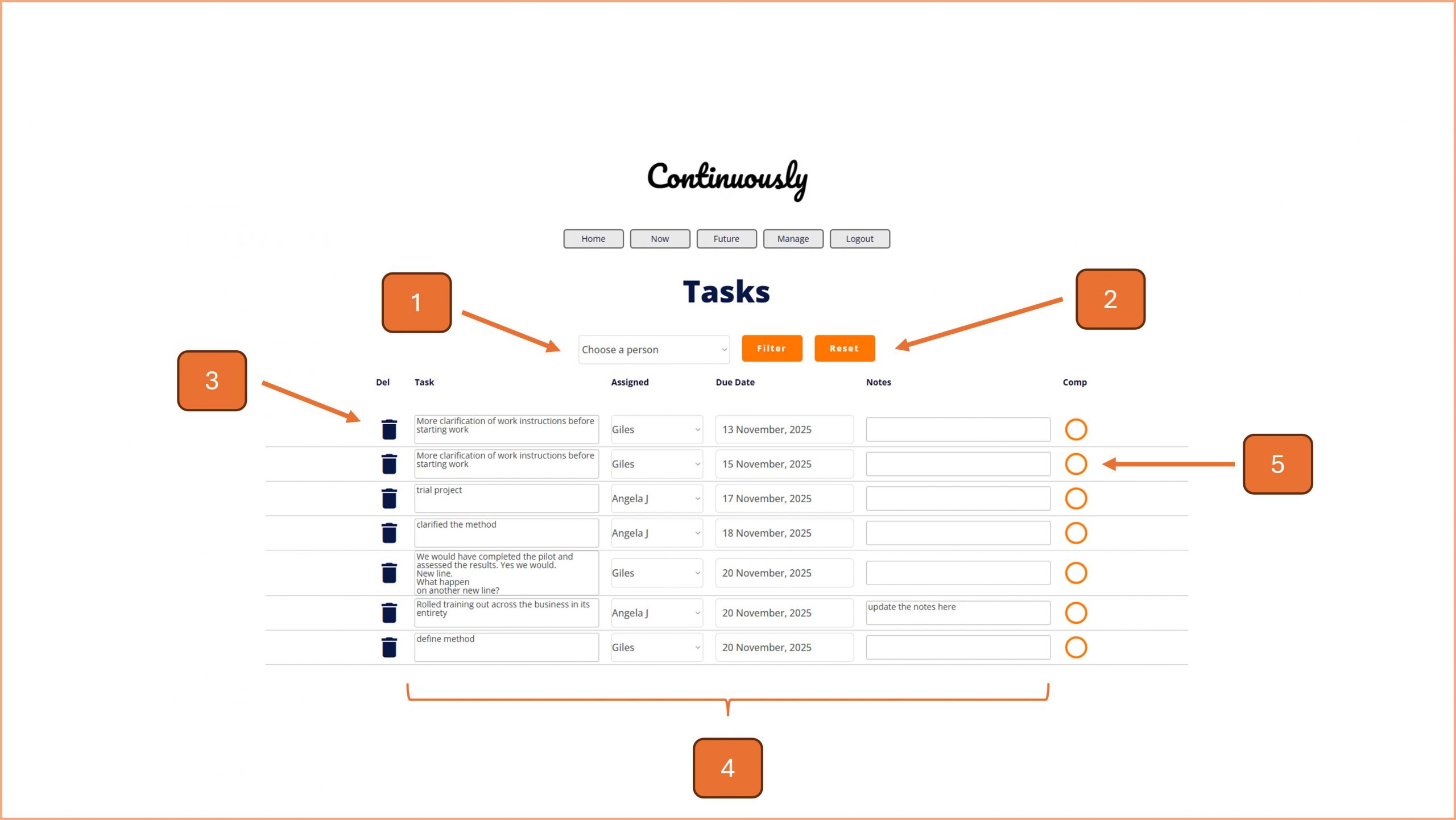
1. Use the drop down options here to filter the open and due tasks by the assignee. Press the Filter button to see the results.
Note - all displayed tasks will be shown in ascending date order.
2. To reset the list, click on the Reset button.
3. To delete a task, click on the Bin icon and follow the on screen instructions.
4. These fields can be edited live on the screen; task description, assignee, due date and notes. The changes are saved automatically.
5. When the task has been deemed complete, click the complete button, circle icon, on the right hand side.

© Smartspeed Consulting Limited. All Rights Reserved.